
Enrolled Student Next Steps
Next Steps for Enrolled Students & Adult Continuing Studies Programs
Welcome to your School of the Art Institute of Chicago preparation checklist! Before beginning your courses, a few critical steps must be completed to ensure a seamless start. Use this page to navigate your essential next steps—including securing your mandatory ARTICard student ID for building access, activating your SAIC email and Canvas online learning accounts, sourcing your course supplies, and reviewing important campus transit and safety advisories.
Adult Programs
-
SAIC is committed to providing opportunities for full participation in all programs for students with disabilities, including Continuing Studies students and Students At Large. Students with disabilities should first contact the Disability and Learning Resource Center (DLRC) to request reasonable accommodations. To plan for the most effective accommodations, we ask that you contact the DLRC at least two weeks before the start date for your course. The DLRC can be reached by phone at 312.499.4278 or email dlrc@saic.edu.
-
All students participating in on-campus courses are required to have a student ID. The ARTICard plays an important role in maintaining a safe and secure campus environment by helping us ensure that only registered students are present in our buildings and classrooms. You will not be able to attend your class on campus until you have requested and picked up your ARTICard.
ARTICard Office
37 S. Wabash Ave., Suite 254
articard@saic.edu
Hours: Monday–Friday, 8:30 a.m.–4:30 p.m.Schedule an appointment with the ARTICard Office. Bring a government-issued photo ID or passport to pick up your ARTICard. To see extended hours for Continuing Studies students, visit the link above.
Loading Funds to your ARTICard: Click here to load funds onto your ARTICard. The ARTICard is not an ATM card and the ARTICard Office cannot give cash refunds for any reason. A cardholder may request that their ARTICash account be closed at any time in writing, or in person at the ARTICard/U-Pass Office. There is a $10 fee to close the ARTICash account and refund checks will be issued in three to four weeks.
Museum Access: Your SAIC student ID card will grant you access to the Art Institute of Chicago while you are a current student. Please note that pencils and pads are allowed into the museum, but do not bring pens or markers. Bags and backpacks larger than 13 x 17 x 4 inches are not allowed in the galleries and must be checked. No food, beverages, flowers, or balloons are allowed inside the museum. Water bottles are allowed.
-
Your SAIC email account will be ready to activate 48 hours after enrollment. The SAIC email account is the key to accessing Canvas and other student resources. Your instructor will communicate with you through Canvas and your saic.edu email address. Check it regularly during the course.
How To Activate Your SAIC Email
- Locate your seven-digit SAIC ID number. It can be found in the Registration Confirmation email, sent from cs@saic.edu. It can also be found on your SAIC student ID card. Please remember that your seven-digit SAIC student ID number is different from the five-digit order number included on the Order Confirmation receipt email sent to you at the time of checkout.
- Go to password.artic.edu
- Select "Activate Account"
- Enter your seven-digit SAIC ID number
- Enter your last name
- Enter your birthdate using the following format: DD-MMM. Use numbers for the day and letters for the month. (Example: 03-FEB or 22-JUN)
- Select "Activate"
Your username is automatically assigned, but you will need to create your own password.
Password Requirements
- Must be at least 15 characters long
- Must not repeat any character more than three times consecutively
- Uppercase, lowercase, special characters, and numbers are allowed but not required, though the passwords are case sensitive.
Password Tips
- Passwords can be simple sentences (“There were 15 green trees.”), a series of words separated by spaces (“Correct Horse Battery Staple”), or a longer traditional password (“Thisisalongpassword!”). The longer the password, the more secure it is. Pick a password that is easy for you to remember. And no, you can’t use any of these password examples.
- You will also be prompted to set up four security questions. Be sure to record your account information for future reference.
- Visit gmail.artic.edu to log in to your SAIC email with the username and password from above.
Need help?
Contact the CRIT Help Desk
312.345.3535
crithelpdesk@saic.edu
Hours: Monday–Friday, 8:30 a.m.–5:00 p.m. -
Students are responsible for purchasing their own supplies and receive 10 percent off at The BLICK Art Materials store on Randolph Street in the Loop when you show them your SAIC ID. Supply lists can be found here.
Typically, supply lists for courses with a duration of longer than one week are provided to students during the first class session. However, some instructors may choose to provide a supply list to students in advance if specific materials are required during the first week of class.
Supply lists are posted one week prior to the start of class. A computer is required to participate in online classes.
Students are encouraged to bring any materials they would like to use that are not on the supply list, and students that live out of town can purchase materials they need when they arrive. The Chicago Loop BLICK Art Materials store is located two blocks from Jones Hall at 16 W. Randolph St.
-
Canvas is a cloud-based online learning platform and will be the central resource for all of your course materials and communication with your instructors and peers.
Typically, instructors make courses viewable one week before the start of class, though not all instructors use Canvas.
- Visit Canvas or download the app for Android or Apple.
- Log in using your SAIC username and password.
- Complete the virtual Canvas Student Orientation to get started.
Need help?
Contact the Canvas Support Team at canvas-help@saic.edu, Monday–Friday, 8:30 a.m.–4:30 p.m.
-
All Adult Continuing Education students are expected to adhere to the Rights and Responsibilities for ACE Students.
-
SAIC provides guest Wi-Fi in limited areas on campus. If you would like to connect to the School’s Wi-Fi network for students, faculty, and staff, follow the instructions here. You must activate your SAIC account first.
Please note that the process requires an internet connection: SAIC Guest (available in the SAIC Ballroom, LeRoy Neiman Center, and 280 Building), Hot Spot, or Off Campus Network.
Connect to the SAIC wireless network anywhere on campus from your laptop, tablet, or smartphone.
-
If your course will be holding live video conferencing sessions, download Zoom in advance of the first class. You can join the first class Zoom session even if you have not finished activating your SAIC email and logged into Canvas. You will receive the link for the first Zoom session in the Welcome & Next Steps email from saic-ace@saic.edu in the days leading up to the start of class.
Starting the Zoom Desktop Client: Select the download that corresponds with your computer, tablet, or phone.
All live sessions are scheduled in Central Time. Use World Time Buddy to compare Central Time with your current timezone.
-
To confirm the location of your course visit continuingstudies.saic.edu/all-courses and enter your course number in the field under "Current On-Campus Courses."
Occasionally course locations change prior to the start of class. We also encourage you to check the location at the link above in the days leading up to the start of class.
AIC-FRONT: Front lobby of the Art Institute of Chicago, 111 S. Michigan Ave.
280: 280 Building, 280 S. Columbus Dr.
LV: Lakeview Building, 116 S. Michigan Ave.
MC: MacLean Center, 112 S. Michigan Ave.
SC: Sullivan Center, 36 S. Wabash Ave.
SP: Sharp Building, 37 S. Wabash Ave.View a campus map here.
-
Please be aware that protests and other events may impact travel to and from our downtown Chicago campus, and some may occur unexpectedly.
Fall Events
- October 4, 2026, National Portfolio Day, expect high foot traffic in and around the 280 Building
- October 11, 2026, Chicago Marathon, road closures
- October 17, 2026, Graduate Portfolio Day, expect high foot traffic in and around the 280 Building
- November 1, 2026, Hot Chocolate Run, road closures
- November 23–29, 2026, Thanksgiving Break, no classes
- December 5, 2026, Portfolio Review Day
Spring Events
- TBD, St. Patrick’s Day Parade, road closures
- March 15–21, 2027, Spring Break, no classes
- March 21, 2027, Shamrock Shuffle, road closures
- March 27–28, 2027, Easter holiday, no classes
- April 17, 2027, Portfolio Review Day
Summer Events
- June 18, 2027, Juneteenth (Observed), no classes
- July 5, 2027, Independence Day (Observed), no classes
- TBD, Lollapalooza, road closures
- TBD, Taste of Chicago, road closures
Road Closures
Roads will be closed in and around the vicinity of the SAIC campus. Roads leading into and around downtown may become blocked as the city prepares for and cleans up from the event.
We strongly advise families to use public transportation. Information on public parking can be found at saic.edu/visit/directions-campus. Please check the garage entrance location against the current road closure details.
NOTE: We will update this page with road closure information closer to the event. You may also visit the City of Chicago’s Street Closures Listing page and Chicago Loop Alliance’s Advisories page.
-
You will receive a Welcome & Next Steps email from saic-ace@saic.edu in the days leading up to the start of class. The subject line will include Welcome & Next Steps.
In this email you will find:
- A reminder to complete the steps outlined on this page
- The contact information for your instructor
First Day of Class: Need Help?A staff member will be available to respond to emails regarding urgent concerns one hour before the start of class through the first hour of the first class meeting.
Most concerns can be resolved effectively by email. If a phone call is needed, a staff member will reply by phone to your email.
ACE Curriculum and Instruction Team (Programming): saic-ace@saic.edu
Hours: Monday–Friday, 8:30 a.m.–4:30 p.m.
+ Extended hours: One hour before the start of class through the first hour of the first class meetingTo expedite assistance, include as much of the following information as you are able to:
- Your first and last name as it appears on your Registration Confirmation email
- Your seven-digit student ID number (included in your Registration Confirmation email.)
- The class you are taking, including when it is scheduled to start
- A phone number you can be reached at
TIP: Include your instructor on your email to saic-ace@saic.edu. That way they will be aware that you are working on troubleshooting in order to connect with them for the first class. The contact information for your instructor will be provided to you in the Welcome & Next Steps email sent in the days leading up to the start of class. -
Visit the Where to Eat page for updated cafe hours.
Add Money to Your ARTIcard
Our campus food halls do not accept cash. Students may use a debit or credit card, VISA gift card, Apple Pay, or ARTICard to pay. For directions on how to add funds to your ARTICard, click here. -
Lockers are made available at the start of classes on a first-come, first-served basis and must be officially registered through the Office of Student Affairs each semester. Students who have registered a locker during the current term must provide their own lock.
Student Locker Registration Checklist
- Email Student Affairs at studenthelp@saic.edu.
- Use subject line: Locker reservation request - ACE student
- Include the following information in the body of the email. Failure to provide all information will cause a delay in completing the registration.
- Full name and SAIC ID number
- Location of your course: building, floor, and classroom number
- Dates of your course
You may not be assigned the exact locker you request. However, if an alternative is assigned, it will be based on the preferred locker number you provide.
We strongly recommend clearing your locker by the end of your last class. Any items left in the lockers at the end of the term may be disposed of or recycled. Security will not honor “Do Not Cut” signs placed on lockers at any time.
Need help?
Contact the Office of Student Affairs at 312.629.6800 or studenthelp@saic.edu.
-
For students enrolled in an Adult Continuing Education summer one-week intensive on-campus courses, optional campus housing is available.
To request campus housing, please complete the Housing Acknowledgement form.

Early College Program
-
If you registered online and your child does not have any allergies and/or other medical/health conditions, you do not need to complete this next step.
A signed Consent Form is required to participate in the Early College Program at SAIC; failure to submit a signed Consent Form prior to the first class may prevent participation. This includes students using tuition vouchers and tuition remission. Please send the signed Consent Form to saic-youth@saic.edu.Parents/guardians of students with allergies and/or other medical/health conditions that might require emergency assistance should complete an Allergy History and Emergency Action Plan Form or email saic-youth@saic.edu. This information is confidential and only shared with program staff. Please resubmit all medical forms each term, even if you submitted them previously.
-
SAIC is committed to providing opportunities for full participation in all programs for students with disabilities, including Continuing Studies students and Students At Large. Students with disabilities should first contact the Disability and Learning Resource Center (DLRC) to request reasonable accommodations. To plan for the most effective accommodations, we ask that you contact the DLRC at least two weeks before the start date for your course. The DLRC can be reached by phone at 312.499.4278 or email dlrc@saic.edu.
-
Watch for an email from articard@saic.edu to your home email address in the month prior to the start of your class which details how to submit your identification photo.
Students will receive their ARTICard during their first class meeting. Students who registered late or did not submit their photo will have an opportunity to get their ARTICard made on the first day of class.
Click here to load funds onto your ARTICard. The ARTICard is not an ATM card and the ARTICard Office cannot give cash refunds for any reason. A cardholder may request that their ARTICash account be closed at any time in writing, or in person at the ARTICard/U-Pass Office. There is a $10 fee to close the ARTICash account and refund checks will be issued in three to four weeks.
-
Your SAIC email account will be ready to activate 48 hours after enrollment. The SAIC email account is the key to accessing Canvas and other student resources. Your instructor will communicate with you through Canvas and your saic.edu email address. Check it regularly during the course.
How To Activate Your SAIC Email
- Locate your seven-digit SAIC ID number. It can be found in the Registration Confirmation email, sent from cs@saic.edu. It can also be found on your SAIC student ID card. Please remember that your seven-digit SAIC student ID number is different from the five-digit order number included on the Order Confirmation receipt email sent to you at the time of checkout.
- Go to password.artic.edu
- Select "Activate Account"
- Enter your seven-digit SAIC ID number
- Enter your last name
- Enter your birthdate using the following format: DD-MMM. Use numbers for the day and letters for the month. (Example: 03-FEB or 22-JUN)
- Select "Activate"
Your username is automatically assigned, but you will need to create your own password.
Password Requirements
- Must be at least 15 characters long
- Must not repeat any character more than three times consecutively
- Uppercase, lowercase, special characters, and numbers are allowed but not required, though the passwords are case sensitive.
Password Tips
- Passwords can be simple sentences (“There were 15 green trees.”), a series of words separated by spaces (“Correct Horse Battery Staple”), or a longer traditional password (“Thisisalongpassword!”). The longer the password, the more secure it is. Pick a password that is easy for you to remember. And no, you can’t use any of these password examples.
- You will also be prompted to set up four security questions. Be sure to record your account information for future reference.
- Visit gmail.artic.edu to log in to your SAIC email with the username and password from above.
Need help?
Contact the CRIT Help Desk
312.345.3535
crithelpdesk@saic.edu
Hours: Monday–Friday, 8:30 a.m.–5:00 p.m. -
Students are responsible for purchasing their own supplies and receive 10 percent off at The BLICK Art Materials store on Randolph Street in the Loop when you show them your SAIC ID. Supply lists can be found here.
Typically, supply lists for courses with a duration of longer than one week are provided to students during the first class session. However, some instructors may choose to provide a supply list to students in advance if specific materials are required during the first week of class.
Supply lists are posted one week prior to the start of class. A computer is required to participate in online classes.
Students are encouraged to bring any materials they would like to use that are not on the supply list.
-
Canvas is a cloud-based online learning platform and will be the central resource for all of your course materials and communication with your instructors and peers.
Typically, instructors make courses viewable one week before the start of class, though not all instructors use Canvas.
- Visit Canvas or download the app for Android or Apple.
- Log in using your SAIC username and password.
- Complete the virtual Canvas Student Orientation to get started.
Need help?
Contact the Canvas Support Team at canvas-help@saic.edu, Monday–Friday, 8:30 a.m.–4:30 p.m.
-
SAIC provides guest Wi-Fi in limited areas on campus. If you would like to connect to the School’s Wi-Fi network for students, faculty, and staff, follow the instructions here. You must activate your SAIC account first.
Please note that the process requires an internet connection: SAIC Guest (available in the SAIC Ballroom, LeRoy Neiman Center, and 280 Building), Hot Spot, or Off Campus Network.
Connect to the SAIC wireless network anywhere on campus from your laptop, tablet, or smartphone.
-
If your course will be holding live video conferencing sessions, download Zoom in advance of the first class. You can join the first class Zoom session even if you have not finished activating your SAIC email and logged into Canvas. You will receive the link for the first Zoom session in the Welcome & Next Steps email from saic-youth@saic.edu in the days leading up to the start of class.
Starting the Zoom Desktop Client: Select the download that corresponds with your computer, tablet, or phone.
All live sessions are scheduled in Central Time. Use World Time Buddy to compare Central Time with your current timezone.
-
To confirm the location of your course visit continuingstudies.saic.edu and enter your course number in the field under "Current On-Campus Courses."
Occasionally course locations change prior to the start of class. We also encourage you to check the location at the link above in the days leading up to the start of class.
AIC-FRONT: Front lobby of the Art Institute of Chicago, 111 S. Michigan Ave.
280: 280 Building, 280 S. Columbus Dr.
LV: Lakeview Building, 116 S. Michigan Ave.
MC: MacLean Center, 112 S. Michigan Ave.
SC: Sullivan Center, 36 S. Wabash Ave.
SP: Sharp Building, 37 S. Wabash Ave.View a campus map here.
-
As part of the Early College Program Online Summer Institute, we will be talking about setting up home studio spaces. Below are common safety guidelines to keep in mind when converting a garage, basement, attic, bedroom, closet, or other space into a studio.
Read the Instructions
All art-making tools and materials should be used according to the manufacturer-approved usages, in accordance with their recommendations and in usage scenarios that follow any/all Safety Data Sheet (SDS) precautions for the product. An SDS will outline details including ventilation requirements, safe storage protocols, personal protective equipment (PPE) needs, and first aid emergency response.
Avoid Toxic and Hazardous Materials
Do not use toxic substances or processes if non-toxic alternatives are available. Preference no or low VOC products in small quantities and avoid powders and pigments that could contain silica or heavy metals. Do not undertake processes involving sharp tools, high voltages, or intense heat unless you have been explicitly trained to do so.
Protect Yourself
- Wear all Personal Protective Equipment (PPE) as advised by Tool or Product manufacturers.
- When no advice is obvious or explicit, cover your eyes at all times with comfortable, side protecting safety glasses.
- Do any work with products sold in a can, tube, or other container in a well-ventilated space.
- Only wear a respirator or dust mask if you have been properly fit for that respirator, and only if you are confident you are in adequate respiratory health to do so.
Exercise Common Sense- Don’t undertake projects with tools on which you have never been trained.
- Don’t assume the internet will provide adequate training.
- Be thoughtful of the people and the environment around you and how your processes might affect them.
- Avoid doing things with tools or materials that they aren’t meant to do.
- If you are tired or distracted by something more interesting—go take a nap or pay full attention to the thing that actually has your attention.
- Don’t underestimate small tools. A significant percentage of personal injuries in artmaking result from tools such as Exacto knives, box knives, chisels, hand-saws, small power tools, and even sewing needles.
Always Have a Safety PlanNo personal studio setup should be without a basic first-aid kit, a fire extinguisher, and a way to call for help. Additionally, it’s a great practice to always let a parent or guardian know where you are and what you are doing in case of an emergency.
-
All Early College Program students are expected to adhere to the Rights and Responsibilities for ECP Students.
-
Credit is optional for juniors and seniors in the ECP program. When you enrolled in your course you selected to take your course for credit or not for credit. If you would like to change your credit status, email cs@saic.edu before the start of class. We cannot change your credit status after the course has begun.
SAIC has a credit/no credit policy. Standards of individual student academic progress are measured utilizing an academic standing process that does not rely upon GPA and, therefore, does not assign letter grades. This system best facilitates the education our institution aims to provide—an education that fosters creativity, risk-taking in the context of creative making and scholarship, and an emphasis on iterative evaluation of growth and progress. Non-degree-seeking students must achieve at least average performance in the course (the traditional grade equivalent of a C) in order to earn CR (credit).
At the end of the term, you can order official transcripts online. Please contact us regarding the timeline for transcript availability. You can reach us at saic-youth@saic.edu.
-
You will receive a Welcome & Next Steps email from saic-youth@saic.edu in the days leading up to the start of class. The subject line will include Welcome & Next Steps.
In this email you will find:
- A reminder to complete the steps outlined on this page
- The contact information for your instructor
-
Visit the Where to Eat page for updated cafe hours.
Add Money to Your ARTIcard
Our campus food halls do not accept cash. Students may use a debit or credit card, VISA gift card, Apple Pay, or ARTICard to pay. For directions on how to add funds to your ARTICard, click here. -
Please be aware that protests and other events may impact travel to and from our downtown Chicago campus, and some may occur unexpectedly.
Fall Events:
- October 4, 2026, National Portfolio Day, expect high foot traffic in and around the 280 Building
- October 11, 2026, Chicago Marathon, road closure details can be found here
- October 17, 2026, Graduate Portfolio Day, expect high foot traffic in and around the 280 Building
- November 1, 2026, Hot Chocolate Run, road closures
- November 23–29, 2026, Thanksgiving Break, no classes
Spring Events:
- TBD, St. Patrick’s Day Parade, road closures
- March 15–21, 2027, Spring Break, no classes
- March 21, 2027, Shamrock Shuffle, road closures
- March 27–28, 2027, Easter holiday, no classes
Summer Events:
- June 18, 2027, Juneteenth (Observed), no classes
- July 5, 2027, Independence Day (Observed), no classes
- TBD, NASCAR, road closures
- TBD, Lollapalooza, road closures
- TBD, Taste of Chicago, road closures
Road Closures:Roads will be closed in and around the vicinity of the SAIC campus. Roads leading into and around downtown may become blocked as the city prepares for and cleans up from the event.
We strongly advise families to use public transportation. Information on public parking can be found at saic.edu/visit/directions-campus. Please check the garage entrance location against the current road closure details.
NOTE: We will update this page with road closure information closer to the event. You may also visit the City of Chicago’s Street Closures Listing page and Chicago Loop Alliance’s Advisories page.
-
A staff member will be available to respond to emails regarding urgent concerns while ECP courses are in session.
Most concerns can be resolved effectively by email. If a phone call is needed, a staff member will reply by phone to your email.
Youth Curriculum and Instruction Team (Programming): saic-youth@saic.edu
Hours: Monday–Friday, 8:30 a.m.–4:30 p.m. CT
Saturday, 8:00 a.m.–4:00 p.m. CT (when weekend courses are in session only)
Sunday, 9:00 a.m.–5:00 p.m. CT (when weekend courses are in session only)To expedite assistance, include as much of the following information as you are able to.
- Your first and last name as it appears on your Registration Confirmation email
- Your seven-digit student ID number (included in your Registration Confirmation email)
- The class you are taking, including when it is scheduled to start
- A phone number you can be reached at
TIP: Include your instructor in your email to saic-youth@saic.edu. That way they will be aware that you are working on troubleshooting in order to connect with them for the first class. The contact information for your instructor will be provided to you in the Welcome & Next Steps email sent in the days leading up to the start of class. -
Lockers are made available at the start of classes on a first-come, first-served basis and must be officially registered through the Office of Student Affairs each semester. Students who have registered a locker during the current term must provide their own lock.
Student Locker Registration Checklist
- Email Student Affairs at studenthelp@saic.edu.
- Use subject line: Locker reservation request - ECP student
- Include the following information in the body of the email. Failure to provide all information will cause a delay in completing the registration.
- Full name and SAIC ID number
- Location of your course: building, floor, and classroom number
- Dates of your course
You may not be assigned the exact locker you request. However, if an alternative is assigned, it will be based on the preferred locker number you provide.
We strongly recommend clearing your locker by the end of your last class. Any items left in the lockers at the end of the term may be disposed of or recycled. Security will not honor “Do Not Cut” signs placed on lockers at any time.
Need help?
Contact the Office of Student Affairs at 312.629.6800 or studenthelp@saic.edu.

Early College Program Summer Institute
-
Once you have been successfully enrolled in a course, we will send a confirmation email to the student's email address. Please carefully review this confirmation to ensure everything is correct.
If you have not received a confirmation email, please contact Continuing Studies at 312.629.6170 or email us at cs@saic.edu so we can resend it to you.
Merit Scholarship and Financial Aid Information
Students who register November through January will be notified of their potential award amounts via email starting in January. Students who register after January will be notified of their potential award amounts approximately three to four weeks after registration. If you do not receive information about your potential Merit Scholarship and/or need-based financial aid in this time frame, please contact the Student Financial Services department at 312.629.6600 or saic.sfs@saic.edu.
-
The payment deadline is May 1.
If you have not made payment by this date you are at risk of being dropped from your selected courses.
If you register after May 1, you will be given a custom payment due date two weeks out from the time we notify you of your final balance via email.
If you need to drop a class, all drop requests must be submitted in writing to ecp@saic.edu and include the student's name, ID number, and course information.
100 percent of the tuition charge, not including the $100 nonrefundable tuition deposit, is refundable if courses are dropped by May 1.* If a course is dropped after the deadline, no refund will be granted.
Note: *This date applies for all sessions.
You may complete your payment online at saic.edu/cspayment. You may also submit your payment by mailing a personal check or money order with the student's full name and ID in the reference section to: School of the Art Institute of Chicago, SAIC Bursar's Office, 37 S. Wabash Ave., Suite 245, Chicago, IL 60603. For any financial questions, please contact Student Financial Services at 312.629.6600 or saic.sfs@saic.edu.
-
If you did not submit your health insurance information at the time of registration, you are required to submit it ASAP to cs@saic.edu. Please send an email and list your student's full legal name, seven-digit SAIC ID number if known, insurance company name, insurance company policy number, insurance company phone number, and policy expiration date if applicable.
If you do not currently have an insurance policy that will cover you while you are with us, you can purchase a new policy and send us those details to satisfy this requirement. Many vendors world-wide offer a variety of insurance policies.
If you registered online and you do not have any allergies and/or other medical/health conditions, you do not need to complete this next step.
A signed Consent Form is required to participate in the Early College Program at SAIC; failure to submit a signed Consent Form prior to the first class may prevent participation. This includes students using tuition vouchers and tuition remission. Please send the signed Consent Form to saic-youth@saic.edu.
Parents/guardians of students with allergies and/or other medical/health conditions that might require emergency assistance should complete an Allergy History and Emergency Action Plan Form or email saic-youth@saic.edu. This information is confidential and only shared with program staff. Please resubmit all medical forms each term, even if you submitted them previously. -
The health and safety of our community are top priorities. SAIC follows CDC guidance for all communicable illnesses.
Because SAIC cannot provide medical supervision, students who become ill during the program may need to recover off campus under the care of a parent, guardian, or designated caregiver. This can also be true for students experiencing severe mental or emotional distress.
Caregivers must be prepared to:
- Pick up their student within 24 hours of notification.
- Supervise and care for the student until recovery.
- Communicate with program staff before the student returns to campus.
- Students may return once they are feeling better and meet CDC criteria, when applicable.
For the latest public health guidance, please visit cdc.gov.
-
Your SAIC email account will be ready to activate 48 hours after enrollment. The SAIC email account is the key to accessing Canvas and other student resources. Your instructor will communicate with you through Canvas and your saic.edu email address. Check it regularly during the course.
How To Activate Your SAIC Email
- Locate your seven-digit SAIC ID number. It can be found in the Registration Confirmation email, sent from cs@saic.edu. It can also be found on your SAIC student ID card. Please remember that your seven-digit SAIC student ID number is different from the five-digit order number included on the Order Confirmation receipt email sent to you at the time of checkout.
- Go to password.artic.edu
- Select "Activate Account"
- Enter your seven-digit SAIC ID number
- Enter your last name
- Enter your birthdate using the following format: DD-MMM. Use numbers for the day and letters for the month. (Example: 03-FEB or 22-JUN)
- Select "Activate"
Your username is automatically assigned, but you will need to create your own password.
Password Requirements
- Must be at least 15 characters long
- Must not repeat any character more than three times consecutively
- Uppercase, lowercase, special characters, and numbers are allowed but not required, though the passwords are case sensitive.
Password Tips
- Passwords can be simple sentences (“There were 15 green trees.”), a series of words separated by spaces (“Correct Horse Battery Staple”), or a longer traditional password (“Thisisalongpassword!”). The longer the password, the more secure it is. Pick a password that is easy for you to remember. And no, you can’t use any of these password examples.
- You will also be prompted to set up four security questions. Be sure to record your account information for future reference.
- Visit gmail.artic.edu to log in to your SAIC email with the username and password from above.
Need help?
Contact the CRIT Help Desk
312.345.3535
crithelpdesk@saic.edu
Hours: Monday–Friday, 8:30 a.m.–5:00 p.m. -
SAIC is committed to providing opportunities for full participation in all programs for students with disabilities, including Continuing Studies students and Students At Large. Students with disabilities should first contact the Disability and Learning Resource Center (DLRC) to request reasonable accommodations. To plan for the most effective accommodations, we ask that you contact the DLRC at least two weeks before the start date for your course. The DLRC can be reached by phone at 312.499.4278 or email dlrc@saic.edu.
-
It is important that we have a unique mobile phone number and email address for you and your parents or guardians. We also request the name and contact information of an individual that can be reached at any time and be on SAIC’s campus in Chicago within 24-48 hours. This is important for all students and in particular, those from outside the United States or whose parents or guardians may be traveling while they attend the Early College Program Summer Institute.
Action Required: Follow this how-to document to confirm we have an emergency contact on file. Please provide the name and contact information of an individual who can be reached at any time and be on SAIC’s campus within 24-48 hours.
-
Canvas is a cloud-based online learning platform and will be the central resource for all of your course materials and communication with your instructors and peers.
Typically, instructors make courses viewable one week before the start of class, though not all instructors use Canvas.
- Visit Canvas or download the app for Android or Apple.
- Log in using your SAIC username and password.
- Complete the virtual Canvas Student Orientation to get started.
Need help?
Contact the Canvas Support Team at canvas-help@saic.edu, Monday–Friday, 8:30 a.m.–4:30 p.m.
-
Students will need an ARTICard, the SAIC ID, to enter campus buildings including the residence hall. You will receive an email from articard@saic.edu to your home email address in the month leading up to the start of your class which details how to submit your identification photo.
If all materials are submitted, you will receive your ARTICard on the day of your orientation.
In addition to the meal plan, you have the option to load funds onto your ARTICard to use at vending machines and in residence hall laundry facilities. The ARTICard is not an ATM card and the ARTICard Office cannot give cash refunds for any reason. A cardholder may request that their ARTICash account be closed at any time in writing, or in person at the ARTICard/U-Pass Office. There is a $10 fee to close the ARTICash account and refund checks will be issued in three to four weeks. The Meal Plan account is non-refundable.
For more details about ARTICard, consult the ARTICard page or contact them at articard@saic.edu. -
All Early College Program Summer Institute students are expected to adhere to the Rights and Responsibilities for ECP Students.
-
Teaching Assistants take attendance at the start of each class and report to staff.
For planned absences, please notify us ahead of time via email at saic-youth@saic.edu.
Students are expected to attend all classes regularly and arrive on time. Full participation is required in all aspects of a course. Students who register late are responsible for catching up on all missed content and assignments.
If a student needs to miss class, it is their responsibility to contact the instructor—preferably in advance—to discuss how to stay updated on missed content and assignments.
Students who withdraw from a course must do so in writing. Nonattendance does not constitute an official withdrawal.
Religious Holiday Observance: SAIC recognizes our community's diverse religious and cultural practices. Students are expected to notify their instructors early in the semester to discuss reasonable accommodations for holidays they observe.
If you foresee needing accommodations for more flexible attendance, please contact DLRC.
-
ECPSI students who reside on campus will be housed in Jones Hall, located at 7 West Madison Street.
Visit Summer Institute Residence Hall General Information for details about what to bring, rules for residential students, the meal plan, and more. You will be notified about your roommate and room assignment during move in.
Note: International students may arrive the Saturday prior to move-in for the session after 5:00 p.m. Contact Residence Life at saic-reslife-ecp@saic.edu to let them know that you intend to arrive early. Students arriving later than 3:30 p.m. on Sunday should notify the Residence Hall staff in advance. Email saic-reslife-cs@saic.edu.
-
Students are responsible for purchasing their own art supplies. Expect to spend $150–$450 depending on session length and number of credits.
Course supply lists will be available two weeks before each session.
Students are encouraged to bring any materials they would like to use that are not on the supply list, and students that live out of town can purchase materials they need when they arrive. The Chicago Loop BLICK Art Materials store is located two blocks from Jones Hall at 16 West Randolph Street.
Students are responsible for purchasing their own supplies and receive 10 percent off at The BLICK Art Materials store on Randolph Street in the Loop when you show them your SAIC ID.
-
Lockers are made available at the start of classes on a first-come, first-served basis and must be officially registered through the Office of Student Affairs each semester. Students may register their locker one week in advance of the start of their class, as it will take up to two business days for the locker registration to be completed. Students who have registered a locker during the current term must provide their own lock.
Student Locker Registration Checklist
- Email Student Affairs at studenthelp@saic.edu.
- Use subject line: Locker reservation request - ECP student
- Include the following information in the body of the email. Failure to provide all information will cause a delay in completing the registration.
- Full name and SAIC ID number
- Location of your course: building, floor, and classroom number
- Dates of your course
You may not be assigned the exact locker you request. However, if an alternative is assigned, it will be based on the preferred locker number you provide.
We strongly recommend clearing your locker by the end of your last class. Any items left in the lockers at the end of the term may be disposed of or recycled. Security will not honor “Do Not Cut” signs placed on lockers at any time.
Need help?
Contact the Office of Student Affairs at 312.629.6800 or studenthelp@saic.edu.
-
Residential and commuter students are encouraged to visit the Chicago and Residential Life page to plan their arrival and review the move-in/move-out details.
-
To confirm the location of your course visit continuingstudies.saic.edu/ecpsi and enter your course number in the field under Early College Program Summer Institute Courses.
Occasionally course locations change prior to the start of class. We also encourage you to check the location at the link above in the days leading up to the start of class.
AIC-FRONT: Front lobby of the Art Institute of Chicago, 111 S. Michigan Ave.
280: 280 Building, 280 S. Columbus Dr.
LV: Lakeview Building, 116 S. Michigan Ave.
MC: MacLean Center, 112 S. Michigan Ave.
SC: Sullivan Center, 36 S. Wabash Ave.
SP: Sharp Building, 37 S. Wabash Ave.View a campus map here.
-
Please be aware that protests and other events may impact travel to and from our downtown Chicago campus, and some may occur unexpectedly.
Summer Events:
- June 19, 2026, Juneteenth, no classes. Students will have the option to participate in programming activities. Further details will be provided closer to the date.
- July 3, 2026, Independence Day (Observed), no classes. Students will have the option to participate in programming activities. Further details will be provided closer to the date.
- July 8–12, 2026, Taste of Chicago, Road Closure details can be found here. Security staff and fencing will be in place, so please be prepared to show your SAIC ID
- July 30–August 2, 2026, Lollapalooza - Road Closure details can be found here.
Road Closures:
Roads will be closed in and around the vicinity of the SAIC campus. Roads leading into and around downtown may become blocked as the city prepares for and cleans up from the event.
We strongly advise families to use public transportation. Information on public parking can be found at saic.edu/visit/directions-campus. Please check the garage entrance location against the current road closure details.
NOTE: We will update this page with road closure information closer to the event. You may also visit the City of Chicago’s Street Closures Listing page and Chicago Loop Alliance’s Advisories page.
-
In May we will host a virtual welcome webinar to review the Next Steps and Information for Enrolled Students. Details and a link to register for the webinar are coming soon. An orientation video will be emailed to students and families in the week prior to arriving on campus.
-
SAIC provides guest Wi-Fi in limited areas on campus. If you would like to connect to the School’s Wi-Fi network for students, faculty, and staff, follow the instructions here. You must activate your SAIC account first.
Please note that the process requires an internet connection: SAIC Guest (available in the SAIC Ballroom, LeRoy Neiman Center, and 280 Building), Hot Spot, or Off Campus Network.
Connect to the SAIC wireless network anywhere on campus from your laptop, tablet, or smartphone.
-
SAIC's Early College Program Summer Institute (ECPSI) is a rigorous academic program for independent, highly motivated students. To be successful in the program, students must be able to perform at the college level by, among other things, assuming responsibility for getting to and from class on time and managing their obligations with respect to classes, workshops, activities, and homework assignments.
Residential students must also be able to adapt to dormitory-style living, while attending to their own needs (i.e., getting appropriate amounts of sleep, eating properly, and requesting medical attention when necessary). Finally, students must be able to conduct themselves in a manner that demonstrates self-regulation and self-discipline at all times, especially during unsupervised free time.
-
Reflecting the requirements of SAIC's undergraduate credit-bearing courses, additional work will be required of all students outside the classroom in order to complete assignments. Students should plan to spend an average of two hours each evening in the studios. This outside-of-class work will be a priority for students so they are able to put in the time and energy required to create portfolio-quality pieces.
-
SAIC is located in the center of downtown Chicago, a vibrant setting conducive to art making. Despite the many attributes of the location, the urban setting and factors that are associated with staying in any large city should be taken into consideration when prospective students and their parents are deciding whether to register for the program.
Security guards are stationed at the entrance of all SAIC buildings 24 hours a day. All students must show their ARTICard to access campus buildings.
ECPSI students are allowed free time for lunch, between classes and curfew (curfew is for residential students and the city of Chicago also has a curfew), and on the weekends. If parents or students are looking for a program with 100 percent supervision, they should consider the nature of this program thoroughly before registering.
Instructional staff supervises the use of the public transportation system (CTA ) during class and there are also supervised outings coordinated by residence life evenings and weekends so students may explore the city. Students are discouraged from using the CTA without supervision.
ECPSI students are required to check in/out for the times/events listed below:
Note: Lunch times may differ if classes are on a field trip or need to alter the time due to a project. Teaching assistants still keep attendance during these times.
-
Visit the Where to Eat page for updated cafe hours.
Add Money to Your ARTIcard
Our campus food halls do not accept cash. Students may use a debit or credit card, VISA gift card, Apple Pay, or ARTICard to pay. For directions on how to add funds to your ARTICard, click here. -
Students are advised to use an ATM card or Traveler's Checks for personal spending in an effort to avoid carrying around large amounts of cash. Many banks and automated teller machines are located within a few blocks of the residence hall (Chase, Citibank, and First Chicago, among others) for withdrawals.
SAIC cannot cash personal checks, nor will most banks. If you need to wire money to a student, the closest Currency Exchange to the residence hall is located at 100 West Randolph Street (312.236.4811).
-
An exhibition of student work and reception open to all ECP Summer Institute students and families is held on the final class day of each session. You will receive an email invitation from saic-youth@saic.edu with the day and time following the start of the session.
Arrival
- Check-in will occur promptly at the start of the event.
- Guests are required to present a state/government issued ID. Any guests who are under 18 will not need a state/government issued ID.
- Exhibitions will take place in two SAIC campus buildings: Sharp Building (37 S. Wabash Ave.) and 280 Building (280 S. Columbus Drive). Look out for an email from saic-youth@saic.edu in the days before the exhibition to learn the location of your student’s exhibit.
- Guests will be provided a floor plan of the classes' locations when they check in for the event.
Interact With the Artwork
- We highly encourage all guests and students to visit both buildings to experience the work created by our ECPSI students in all SAIC departments.
- Wander through the exhibition spaces to admire the artwork and engage with students.
- Strike up conversations with students. Ask about their artwork, the materials they used, the techniques they learned, and what inspired them.
Closing
- It is recommended to keep the student’s work on display until the end to allow everyone to enjoy the exhibition.
- Students are responsible for transporting their artwork home at the end of the session. SAIC will NOT store, pack, or ship student work.
- ECPSI instructors and teaching assistants will help students prepare work for transport at the end of the session.
- At the end of the exhibition, ECPSI students will deinstall their work and repair the exhibition space. They will be free to leave with their family after 4:00 p.m.
IMPORTANT: Due to the Lollapalooza music festival, there will be road closures in and around the vicinity of the SAIC campus. Details regarding road closures and building access will be sent closer to the event.
-
Students are responsible for transporting their artwork home at the end of the session. SAIC will not store, pack, or ship student work. ECPSI instructors and teaching assistants will help students prepare work for transport at the end of the session. Work that cannot be transported can be photographed and destroyed.
Students who are unable to carry work home should decide how their work will be transported ahead of time, and purchase materials for packing work prior to the last class.
Below is a selection of packing suppliers and shipping locations in the immediate area. We recommend calling or visiting websites in advance to confirm days/times of operation. Some shipping locations are not open on Saturdays.
-
Juniors and seniors, ages 15 to 18, enrolled in an ECPSI course will be eligible to receive college credit upon successful completion. This credit may be applied towards an undergraduate degree at most colleges or universities.
Students enrolled for credit are expected to attend all classes at the scheduled time, arrive prepared, and successfully complete all homework and assignments.
Transcripts will not be available until mid-September. Transcripts are not sent automatically; requests can be made online, in person, and by mail or fax. Consult our Transcript Requests page for full details.
-
Please make sure to provide current student and parent/guardian email addresses and phone numbers during registration so we are able to communicate effectively. You may also need to check your junk/spam folder for email messages from SAIC.
A staff member will be available to respond to emails regarding urgent concerns while ECP Summer Institute courses are in session.
Youth Curriculum and Instruction Team (Programming) - saic-youth@saic.edu, 312.899.852, Monday–Friday, 9:00 a.m.–4:00 p.m. CT
Residence Life: saic-reslife-ecp@saic.edu
To expedite assistance, include as much of the following information as you are able.
- Student first and last name as it appears on the Registration Confirmation email
- Student seven-digit student ID number (included in the Registration Confirmation email)
- The class the student is taking, including when it is scheduled to start
- A phone number you can be reached at
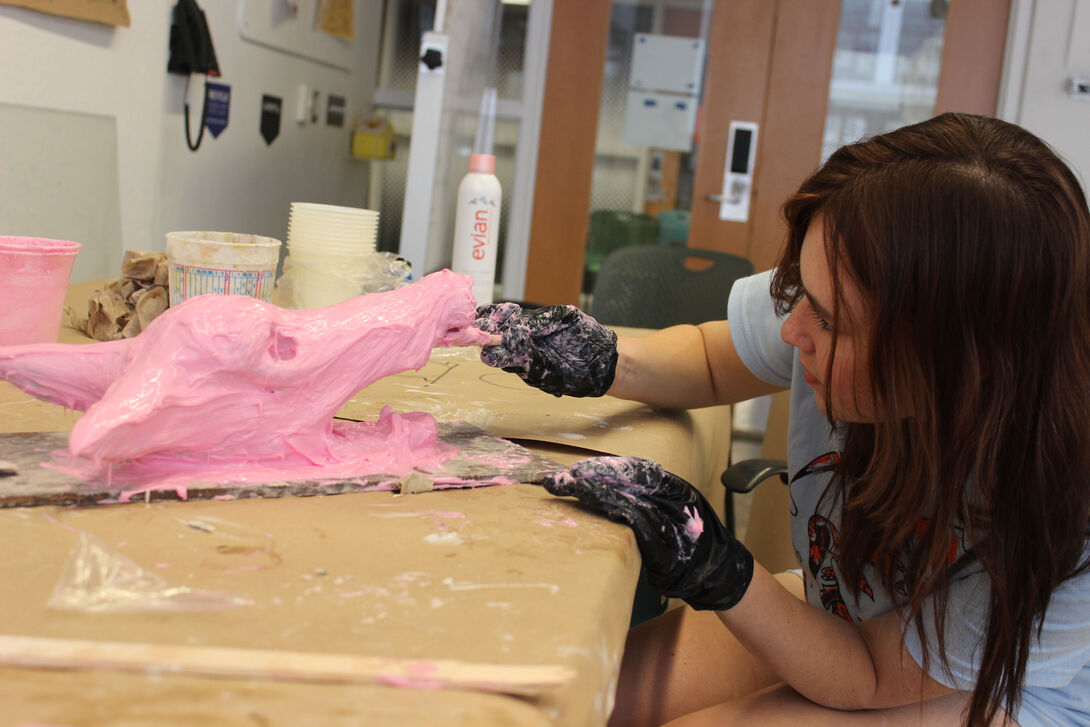
Early College Program Online Summer Institute
-
Important: After enrolling, it may take up to two business days before you can activate your SAIC account.
Your SAIC email account is the key to accessing Canvas and other student resources. Your instructor will communicate with you through Canvas and your SAIC.edu email address. Check it regularly during the course.
To activate your SAIC email account, you will need to:
- Locate your SAIC ID number in your Registration Confirmation email, sent from cs@saic.edu. If you have an SAIC student ID card, you will also find it there. Your seven-digit SAIC Student ID number is different from the five-digit order number included on the Order Confirmation receipt email sent to you at the time of checkout.
- Go to https://password.artic.edu
- Select Activate Account
- Enter your seven-digit SAIC ID number
- Enter your last name
- Enter your birthdate the following format: DD-MMM (e.g., 22-FEB or 03-JUN)
- DD: Two-digit day (01 to 31)
- MMM: Three-letter abbreviation for the month (e.g., JAN, FEB, MAR, etc.)
- Note: Use numeric characters for the day and only letters for the month.
- Select Activate
Your username is automatically assigned, but you will need to create your own password. Passwords can be simple sentences (“There were 15 green trees.”), a series of words separated by spaces (“Correct Horse Battery Staple”) or a longer traditional password (“Thisisalongpassword!”). The longer the password, the more secure it is. Pick a password that is easy for you to remember.
Your new password must meet the following requirements:
Is case sensitive.- Must be a minimum of 15 characters long.
- Must not repeat any character more than 3 times consecutively.
- Cannot include any of the password examples above.
Uppercase, lowercase, special characters, and numbers are allowed but not required when setting your new password.
You will also be prompted to set up four security questions. Be sure to record your account information for future reference.
Visit gmail.artic.edu to log in to your SAIC email with the username and password from above.
Need Help? Contact the CRIT Help Desk at 312.345.3535 or email crithelpdesk@saic.edu. Office Hours: Monday–Friday, 8:30 a.m.–5:00 p.m.
-
The School of the Art Institute of Chicago is committed to providing opportunities for full participation in all programs for students with disabilities, including Continuing Studies students and Students At Large. Students with disabilities should first contact the Disability and Learning Resource Center (DLRC) to request reasonable accommodations. To plan for the most effective accommodations, we ask that you contact the DLRC at least two weeks before the start date for your course.
Disability and Learning Resource Center—learn more about the DLRC including common accommodations provided by their office, their approach to providing accommodations, and how to schedule an appointment.
The DLRC can be reached by phone at 312.499.4278 or email dlrc@saic.edu. -
Juniors and seniors, ages 15 to 18, enrolled in an ECPOSI course will be eligible to receive college credit upon successful completion. This credit may be applied towards an undergraduate degree at most colleges or universities.
Students enrolled for credit are expected to attend all classes at the scheduled time, arrive prepared, and successfully complete all homework and assignments.
Transcripts will not be available until mid-September. Transcripts are not sent automatically; requests can be made online, in person, and by mail or fax. Consult our Transcript Requests page for full details. -
All Early College Program Online Summer Institute students are expected to adhere to the Rights and Responsibilities for ECP Students.
-
Canvas is SAIC’s online learning platform and will be the central resource for all of your course materials and communication with your instructors and peers. You will need to log in with your SAIC username and password.
Typically, instructors make courses viewable one week before the start of class. Please note that not all instructors may use Canvas.
Visit canvas.saic.edu or download the app for Android or Apple and log in using your SAIC username and password. Complete the virtual Canvas Student Orientation to get started.
Need Help?
Contact the Canvas Support Team at canvas-help@saic.edu, Monday–Friday, 8:30 a.m.–4:30 p.m. -
Zoom video conferencing will be used for your course. Download Zoom in advance of the first class.
- Starting the Zoom Desktop Client—Select the download that corresponds with your computer, tablet, or phone.
- Joining a meeting
All live sessions are scheduled in Central Time. Use World Time Buddy to compare Central Time with your current timezone.
NOTE: You will receive the link for the first Zoom session in the Welcome & Next Steps email from saic-youth@saic.edu in the days leading up to the start of class.
-
Students are responsible for purchasing their own art supplies. Expect to spend $300–450 depending on whether the course meets for a half or full day.
Course supply lists will be available two weeks before each session.
We recommend that you order these materials as soon as possible to allow for any shipping and handling delays. You may choose to purchase additional supplies depending on your unique projects.
A computer is required to participate in all online classes.
If enrolled in Animation and Video Projects, Design Projects, 2D Animation, or Visual Communication Design, you will be provided with an Adobe Creative Cloud License for the duration of the course. We recommend that you have a laptop that meets the minimum requirements for Adobe Creative Cloud. You must activate your SAIC email account in order to be given access to an Adobe software license. Information on how to access this software will be emailed to your SAIC email account on the first day of your class.
-
As part of the program, we will be talking about setting up home studio spaces. Below are common safety guidelines to keep in mind when converting a garage, basement, attic, bedroom, closet, or other space into a studio.
Read the Instructions
All art-making tools and materials should be used according to the manufacturer-approved usages, in accordance with their recommendations and in usage scenarios that follow any/all Safety Data Sheet (SDS) precautions for the product. An SDS will outline details including ventilation requirements, safe storage protocols, personal protective equipment (PPE) needs, and first aid emergency response.
Avoid Toxic and Hazardous Materials
Do not use toxic substances or processes if non-toxic alternatives are available. Preference no or low VOC products in small quantities and avoid powders and pigments that could contain silica or heavy metals. Do not undertake processes involving sharp tools, high voltages, or intense heat unless you have been explicitly trained to do so.
Protect Yourself
- Wear all Personal Protective Equipment (PPE) as advised by Tool or Product manufacturers.
- When no advice is obvious or explicit, cover your eyes at all times with comfortable, side protecting safety glasses.
- Do any work with products sold in a can, tube, or other container in a well-ventilated space.
- Only wear a respirator or dust mask if you have been properly fit for that respirator, and only if you are confident you are in adequate respiratory health to do so.
Exercise Common Sense- Don’t undertake projects with tools on which you have never been trained.
- Don’t assume the internet will provide adequate training.
- Be thoughtful of the people and the environment around you and how your processes might affect them.
- Avoid doing things with tools or materials that they aren’t meant to do.
- If you are tired or distracted by something more interesting—go take a nap or pay full attention to the thing that actually has your attention.
- Don’t underestimate small tools. A significant percentage of personal injuries in artmaking result from tools such as Exacto knives, box knives, chisels, hand-saws, small power tools, and even sewing needles.
Always Have a Safety PlanNo personal studio setup should be without a basic first-aid kit, a fire extinguisher, and a way to call for help. Additionally, it’s a great practice to always let a parent or guardian know where you are and what you are doing in case of an emergency.
-
A staff member will be available to respond to emails regarding urgent concerns while ECP Online Summer Institute courses are in session.
Most concerns can be resolved effectively by email. If a phone call is needed, a staff member will reply by phone to your email.
Youth Curriculum and Instruction Team (Programming): saic-youth@saic.edu
Hours: Monday–Friday, 8:30 a.m.–4:30 p.m.To expedite assistance, include as much of the following information as you are able to.
- Your first and last name as it appears on your Registration Confirmation email
- Your seven-digit student ID number (included in your Registration Confirmation email)
- The class you are taking, including when it is scheduled to start
- A phone number you can be reached at
Tip: Include your instructor in your email to saic-youth@saic.edu. That way they will be aware that you are working on troubleshooting in order to connect with them for the first class. The contact information for your instructor will be provided to you in the Welcome & Next Steps email sent in the days leading up to the start of class.
Middle School Programs (Ages 10-13)
-
If you registered online and your child does not have any allergies and/or other medical/health conditions, you do not need to complete this next step.
A signed Consent Form is required to participate in the Middle School Program at SAIC; failure to submit a signed Consent Form prior to the first class may prevent participation. This includes students using tuition vouchers and tuition remission. Please send the signed Consent Form to saic-youth@saic.edu.Parents/guardians of students with allergies and/or other medical/health conditions that might require emergency assistance should complete an Allergy History and Emergency Action Plan Form or email saic-youth@saic.edu. This information is confidential and only shared with program staff. Please resubmit all medical forms each term, even if you submitted them previously.
-
SAIC is committed to providing opportunities for full participation in all programs for students with disabilities, including Continuing Studies students and Students At Large. Students with disabilities should first contact the Disability and Learning Resource Center (DLRC) to request reasonable accommodations. To plan for the most effective accommodations, we ask that you contact the DLRC at least two weeks before the start date for your course. The DLRC can be reached by phone at 312.499.4278 or email dlrc@saic.edu.
-
To confirm the location of your course visit continuingstudies.saic.edu and enter your course number in the field under "Current On-Campus Courses."
Occasionally course locations change prior to the start of class. We also encourage you to check the location at the link above in the days leading up to the start of class.
AIC-FRONT: Front lobby of the Art Institute of Chicago, 111 S. Michigan Ave.
280: 280 Building, 280 S. Columbus Dr.
LV: Lakeview Building, 116 S. Michigan Ave.
MC: MacLean Center, 112 S. Michigan Ave.
SC: Sullivan Center, 36 S. Wabash Ave.
SP: Sharp Building, 37 S. Wabash Ave.View a campus map here.
-
Students will need an ARTICard, the SAIC ID, to enter campus buildings. You will receive an email from articard@saic.edu to your home email address in the month prior to the start of your class which details how to submit your identification photo.
Students will receive their ARTICard during their first class meeting. Students who registered late or did not submit their photo will have an opportunity to get their ARTICard made on the first day of class.
Click here to load funds onto your ARTICard. The ARTICard is not an ATM card and the ARTICard Office cannot give cash refunds for any reason. A cardholder may request that their ARTICash account be closed at any time in writing, or in person at the ARTICard/U-Pass Office. There is a $10 fee to close the ARTICash account and refund checks will be issued in three to four weeks. -
SAIC Continuing Studies values arts classrooms in which all individuals are treated with respect, kindness, and understanding. We work together to build and maintain safe, joyful, and rigorous arts learning environments where all community members are able to learn and grow as artists and people. In order to participate in the Middle School Program, the student and his or her parent/legal guardian must agree that the student will, at all times, abide by the Rules of Conduct below and participate in the Progressive Consequences process as needed.
Please review the MSP Progressive Consequences and Rules of Conduct or, alternatively, view the video presentation.
-
Drop-off and pick-up of students will take place at:
Sharp Building Lobby (37 South Wabash Avenue)First Day Check-In
Parents/guardians must accompany their child(ren) on the first day for check-in. On the first day of class, check-in will begin 30 minutes before the class starts. A pick-up pass will be given to parents/guardians during first day check-in when a government-issued ID is presented.Drop-Off
Following first-day check-in, drop-off times are 15 minutes before class starts.Pick-Up
Pick-up occurs promptly at the end of class.Students who do not have permission for unescorted dismissal will be released only to the parents/guardians with a pick-up pass in the designated pick-up location. Parents/guardians who do not give permission for unescorted dismissal will be required to park and pick their children up from the lobby of the pick-up location.
To grant permission for unescorted dismissal parents/guardians must fill out the Permission for Unescorted Dismissal form online or on the first day of class in-person. This form allows students to leave on their own at the end of class to meet a parent or guardian. It does not allow them to leave before the end of the class on their own.
Students Enrolled in Fall and Spring Classes
We cannot accommodate late drop-offs or early pick-ups, as our team is fully engaged with students during the day.
Continuing Studies staff does not supervise lunch (12:00 p.m.-1:00 p.m.) for students enrolled in morning and afternoon classes. These students must either have unescorted dismissal or have a caregiver pick them up at 12:00 p.m. before their 1:00 p.m. class.Students staying on campus for lunch can eat at the cafe on the 2nd floor of the Sharp Building. Campus cafes accept credit cards, debit cards, or ARTICard payments. Teaching assistants are available to assist students in loading cash onto their ARTICard during snack time.
Students Enrolled in Summer Classes
We’re unable to accommodate late drop-offs or early pick-ups, as our team is fully engaged with students during the day. If you are no longer able to make our drop-off window of 8:45–9:00 a.m. and pick-up window of 3:50–4:00 p.m., email cs@saic.edu as soon as possible to discuss your options.
-
Please be aware that protests and other events may impact travel to and from our downtown Chicago campus, and some may occur unexpectedly.
Fall Events:
- October 11, 2026, Chicago Marathon, road closure details can be found here
- November 1, 2026, Hot Chocolate Run, road closures
- November 23–29, 2026, Thanksgiving Break, no classes
- December 12, 2026, Open Studio
Spring Events:
- TBD, St. Patrick’s Day Parade, road closures
- March 15–21, 2027, Spring Break, no classes
- March 21, 2027, Shamrock Shuffle, road closures
- March 27–28, 2027, Easter holiday, no classes
- April 24, 2027, Open Studio
Summer Events:
- June 18, 2027, Juneteenth (Observed), no classes
- July 5, 2027, Independence Day (Observed), no classes
- TBD, NASCAR, road closures
- TBD, Lollapalooza, road closures
- TBD, Taste of Chicago, road closures
Road Closures:
Roads will be closed in and around the vicinity of the SAIC campus. Roads leading into and around downtown may become blocked as the city prepares for and cleans up from the event.
We strongly advise families to use public transportation. Information on public parking can be found at saic.edu/visit/directions-campus. Please check the garage entrance location against the current road closure details.
NOTE: We will update this page with road closure information closer to the event. You may also visit the City of Chicago’s Street Closures Listing page and Chicago Loop Alliance’s Advisories page.
-
You will receive an email from saic-youth@saic.edu in the days leading up to the start of class. The subject line will include Welcome & Next Steps.
In this email you will find:
- A reminder to complete the steps outlined on this page
- Information regarding first day check-in
- Guidelines for drop-off and pick-up
If you are registered for an upcoming summer course, please watch this MSP Know Before You Go video to prepare for the class.
We are finalizing a version of the MSP Know Before You Go video for the fall and spring. Please return this page closer to the start of fall 2026. -
SAIC provides art supplies to middle school students enrolled in on-campus classes. We do not provide snacks or lunch to students. For more information, view the Bring a Snack for Your Student section below.
-
SAIC does not provide snacks for students. If needed, snacks may be purchased in our Neiman Center Cafe; however, we encourage students to bring food from home. The Neiman Center Cafe does not accept cash. Students may use a debit or credit card, VISA gift card, Apple Pay, or ARTICard to pay.
In the fall and spring, snack time occurs midway through the class meeting.
In the summer, students will have both snack and lunch breaks. Lunch break is one hour in the middle of the day.
Please note that the cafe sells coffee, energy drinks, caffeinated teas, candy, and ice cream, among many other items. The cafe and Continuing Studies staff are not responsible for and cannot control the items students buy. Please talk with your student(s) about what they are and are not allowed to buy.
Please note that our campus is tree-nut and peanut-free. Please make sure you do not include allergens when packing snacks and food.
-
Continuing Studies invites friends and families to MSP Open Studios, an opportunity to admire students' artwork and engage with the artists. You will receive an email invitation from saic-youth@saic.edu with the day and time following the start of the session.
Arrival
- Check-in will occur promptly at the start of the event.
- Parents and guardians should bring the student’s pick-up pass and a government-issued photo ID for check-in.
- A staff member will check you in at the security desk and direct you to your student’s classroom at the start of the event.
Interact With the Artwork
- Wander through the classroom to admire the artwork and engage with students to learn about their artwork, materials, and inspirations.
- Strike up conversations with students. Ask about their artwork, the materials they used, techniques they learned, group projects, and what inspired them.
- Take a stroll through different classrooms to see what other classes and students created.
- There will be a short presentation for all the attendees, including a quick overview of what the students learned during the course and the projects they completed.
Closing
- It is recommended to keep the student’s work on display until the end to give everyone a chance to enjoy the exhibition.
- Parents and guardians are asked to complete a Caretaker Evaluation Form.
- Remember to take your artwork and belongings home, and bring bags to carry your students’ creative treasures.
IMPORTANT: If your student is unable to attend the last class, email saic-youth@saic.edu to ensure that your student takes their artwork home on their final day.
Children's Multi-Arts Camps
-
If you registered online and your child does not have any allergies and/or other medical/health conditions, you do not need to complete this next step.
A signed Consent Form is required to participate in the Children's Camp Program at SAIC; failure to submit a signed Consent Form prior to the first class may prevent participation. This includes students using tuition vouchers and tuition remission. Please send the signed Consent Form to saic-youth@saic.edu.Parents/guardians of students with allergies and/or other medical/health conditions that might require emergency assistance should complete an Allergy History and Emergency Action Plan Form or email saic-youth@saic.edu. This information is confidential and only shared with program staff. Please resubmit all medical forms each term, even if you submitted them previously.
-
SAIC is committed to providing opportunities for full participation in all programs for students with disabilities, including Continuing Studies students and Students At Large. Students with disabilities should first contact the Disability and Learning Resource Center (DLRC) to request reasonable accommodations. To plan for the most effective accommodations, we ask that you contact the DLRC at least two weeks before the start date for your course. The DLRC can be reached by phone at 312.499.4278 or email dlrc@saic.edu.
-
To confirm the location of your course visit continuingstudies.saic.edu and enter your course number in the field under "Current On-Campus Courses."
Occasionally course locations change prior to the start of class. We also encourage you to check the location at the link above in the days leading up to the start of class.
AIC-FRONT: Front lobby of the Art Institute of Chicago, 111 S. Michigan Ave.
280: 280 Building, 280 S. Columbus Dr.
LV: Lakeview Building, 116 S. Michigan Ave.
MC: MacLean Center, 112 S. Michigan Ave.
SC: Sullivan Center, 36 S. Wabash Ave.
SP: Sharp Building, 37 S. Wabash Ave.View a campus map here.
-
Students will need an ARTICard, the SAIC ID, to enter campus buildings. You will receive an email from articard@saic.edu to your home email address in the month prior to the start of your class which details how to submit your identification photo.
Students will receive their ARTICard during their first class meeting. Students who registered late or did not submit their photo will have an opportunity to get their ARTICard made on the first day of class.
-
SAIC Continuing Studies values arts classrooms in which all individuals are treated with respect, kindness, and understanding. We work together to build and maintain safe, joyful, and rigorous arts learning environments where all community members are able to learn and grow as artists and people. In order to participate in the Children's Mult-Arts Camp, the student and his or her parent/legal guardian must agree that the student will, at all times, abide by the Rules of Conduct below and participate in the Progressive Consequences process as needed.
Please review the Children's Multi-Arts Camp Progressive Consequences and Rules of Conduct or, alternatively, view the video presentation.
-
Ages 6 & 7
9:00–9:15 a.m. Welcome, art stations, and morning sketches
9:15–9:30 a.m. Morning check-in and demos
9:30–11:00 a.m. Morning art activity (snack break as needed)
11:00 a.m.–12:00 p.m. Museum trip
12:00–1:00 p.m. Lunch and outdoor play
1:00–1:30 p.m. Storytime, music, and movement
1:30–3:00 p.m. Afternoon art activity (snack break as needed)
3:00–3:45 p.m. Art stations, freeplay, relaxation, and closing circleAges 8 & 9
9:00–9:15 a.m. Welcome, warm-up exercises, and morning sketches
9:15–9:30 a.m. Morning check-in and demos
9:30 a.m.–12:00 p.m. Morning art activity (snack break as needed)
12:00–1:00 p.m. Lunch and outdoor play
1:00–2:00 p.m. Museum trip
2:00–3:30 p.m. Afternoon art art activity (sneak break as needed)
3:30–3:45 p.m. Art stations, freeplay, relaxation, and closing circle -
Drop-off and pick-up of Multi-Arts Camp students will take place at:
280 Building Lobby (280 S. Columbus Drive)Due to Lollapalooza, families cannot drive to the 280 Building entrance and will have to approach on foot during specific dates. SAIC security will be available to provide directions. We recommend that you always have the student's SAIC ID card. SAIC ID cards will be delivered to the student's class on the first day.
We strongly advise families to use public transportation. Details regarding road closures will be sent closer to the event.
Information on public parking can be found at saic.edu/visit/directions-campus.
Drop-off happens between 8:45 a.m. and 9:00 a.m.
On the first day of class, all parents and guardians of students are required to come into the 280 Building lobby with their student for day-one check-in.During day-one check-in, students will confirm their contact information, receive their pick-up pass, receive a flier with important session information, and fill out any allergy history or emergency action forms needed.
Pick-up happens at 4:00 p.m.
There will always be staff members and your students’ teaching assistants present at all campus buildings to release your students during pick-up. You will need to pick up your student on foot from in front of the lobby of the 280 Building.Please have the printed pick-up pass or a photo of it ready to present to staff.
We’re unable to accommodate late drop-offs or early pick-ups, as our team is fully engaged with students during the day. If you are no longer able to make our drop-off window of 8:45–9:00 a.m. and pick-up window of 3:50–4:00 p.m., email cs@saic.edu as soon as possible to discuss your options.
-
Please be aware that protests and other events may impact travel to and from our downtown Chicago campus, and some may occur unexpectedly.
Important Dates:
- June 19, 2026: Juneteenth, no classes
- July 3, 2026: Independence Day (observed), no classes
- July 8–12, 2026, Taste of Chicago, Road Closure details can be found here. Security staff and fencing will be in place, so please be prepared to show your SAIC ID
- July 30–August 2, 2026, Lollapalooza - Road Closure details can be found here.
Road Closures:
Roads will be closed in and around the vicinity of the SAIC campus. Roads leading into and around downtown may become blocked as the city prepares for and cleans up from the event.
We strongly advise families to use public transportation. Details regarding road closures will be sent closer to the event.
Information on public parking can be found at saic.edu/visit/directions-campus. Please check the garage entrance location against the current road closure details.
NOTE: Details regarding road closures will be sent via email closer to the event. We will also update this page with road closure information closer to the event. You may also visit the City of Chicago’s Street Closures Listing page and Chicago Loop Alliance’s Advisories page.
-
You will receive an email from saic-youth@saic.edu in the days leading up to the start of class. The subject line will include Welcome & Next Steps.
In this email you will find:
- A reminder to complete the steps outlined on this page
- Information regarding first day check-in
- Guidelines for drop-off and pick-up
You may also watch this MAC Know Before You Go video to prepare for the class.
-
SAIC does not provide snacks or lunch for students. Children's Multi-Arts Camp students eat lunch outside (weather permitting) and have two snack breaks daily, one in the morning and one in the afternoon. Lunch break is one hour in the middle of the day.
Students will not have access to a refrigerator or microwave, so we recommend packing thermoses and ice packs if needed.
Students must bring snacks and food from home and cannot purchase food from the school.
Our campus is tree-nut and peanut-free. Please avoid including allergens when packing snacks and lunch. If applicable, caregivers should submit the Allergy History & Emergency Action Plan Form.
-
Continuing Studies invites friends and families to MAC Open Studios, an opportunity to admire students' artwork and engage with the artists. You will receive an email invitation from saic-youth@saic.edu with the day and time following the start of the session.
Arrival
- Check-in will occur promptly at the start of the event.
- Parents and guardians should bring the student’s pick-up pass and a government-issued photo ID for check-in.
- A staff member will check you in at the security desk and direct you to your student’s classroom at the start of the event.
Interact with the Artwork
- Wander through the classroom to admire the artwork and engage with students.
- Strike up conversations with students. Ask about the materials they used, techniques they learned, and what inspired them.
- Take a stroll through different classrooms to see what other students created.
- There will be a short presentation for all the attendees, including a quick overview of what the students learned during the course and the projects they completed.
Closing
- It is recommended to keep the student’s work on display until the end to give everyone a chance to enjoy the exhibition.
- Parents and guardians are asked to complete a Caretaker Evaluation Form.
- Remember to take your artwork and belongings home, and bring bags to carry your students’ creative treasures.
IMPORTANT: If your student cannot attend the last class, email saic-youth@saic.edu to ensure that your student takes their artwork home on their final day.
